
AI Tools Free: 10 Best Free AI Tools You Can Start Using Today
If you have ever typed “ai tools free” into a search box, you already know the problem: thousands of tools claim to be free, but most of them are free trials in disguise. You sign up, try two or three things, and then a paywall appears. This guide only covers AI tools with a genuinely usable free plan — the kind you can keep using week after week without entering card details. You do not need all ten. Pick one or two that match what you actually do every day, and only think about paying when you hit a real limit.
What “free” really means with AI tools
Most AI tools fall into one of three groups. The first is free plans with limits: you get a set number of uses per day or month, and the tool keeps working after that, just more slowly. ChatGPT’s free tier works like this. The second is free credits: you get a starting balance, and each task uses some of it up. Many image and video generators use this model. The third is freemium: the basic version is free forever, and paying unlocks extras like more storage or faster results. Canva is the classic example. A good rule is simple: if a tool asks for your card before letting you try anything, it is not really free.
Writing and research
ChatGPT
ChatGPT is still the easiest place to start with AI. The free tier gives you a capable model for drafting emails, summarising articles, brainstorming ideas, and answering everyday questions. It is not the most powerful version OpenAI sells, and heavy users will hit daily limits, but for normal daily use it is more than enough. If you have never used an AI chatbot before, start here.
Google Gemini
Gemini is Google’s AI assistant, and its free version is surprisingly generous. It connects naturally with Google services, so it is handy if you already live in Gmail and Google Docs. It is good at summarising long documents, drafting replies, and answering questions with up-to-date information from the web.
Perplexity
Perplexity works like a search engine that answers in plain sentences instead of handing you ten blue links. Every answer comes with sources you can click, which makes it much easier to check whether something is true. The free tier covers a solid number of searches a day. It is one of the best free tools for anyone who spends their day looking things up.
Grammarly
Grammarly’s free plan checks spelling, grammar, and tone as you type, in your browser or in documents. It will not write an essay for you, and that is the point. It catches the small mistakes that make writing look careless — a missing comma, a repeated word, a sentence that runs too long. If you write emails or reports at work, it is worth installing.
Images and design
Canva
Canva’s free plan includes thousands of templates for social media posts, presentations, posters, and more, plus AI features for removing backgrounds and generating simple images. You do not need any design experience to get a decent result in ten minutes. The paid version adds more templates and stock photos, but the free version is genuinely useful on its own.
Adobe Firefly
Adobe Firefly is Adobe’s AI image generator, and it has a free plan that lets you create images from text descriptions. The results are clean and safe for commercial use, which matters if you make content for a business. If you need an image for a blog post or a social media graphic and you do not want to worry about copyright, this is a solid free option.
Video and audio
CapCut
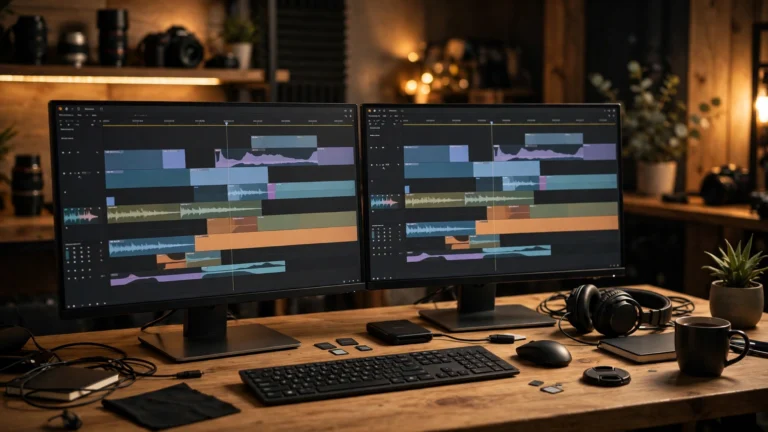
CapCut is a free video editor from the makers of TikTok, available on desktop, mobile, and the web. It includes auto-captions, background removal, and AI features that cut editing time in half. For short videos, social media clips, and simple YouTube edits, the free version covers almost everything a beginner needs. If you want to go further with AI video, our guide to the best AI video generator explains the stronger options.
Runway
Runway is one of the best-known AI video tools, and its free plan lets you try text-to-video and image-to-video generation with a small monthly credit allowance. The clips are short, but they are good enough to test an idea or add a visual flourish to a project. Think of it as a sketchbook for video ideas rather than a full production studio.
Productivity and coding
Microsoft Copilot
Microsoft Copilot is built into Windows and the Microsoft 365 apps, and the free version is available to anyone with a Microsoft account. It can draft emails in Outlook, summarise documents in Word, and answer questions in Edge. If you already use Microsoft tools at work, this is the lowest-effort way to add AI to your day.
GitHub Copilot Free
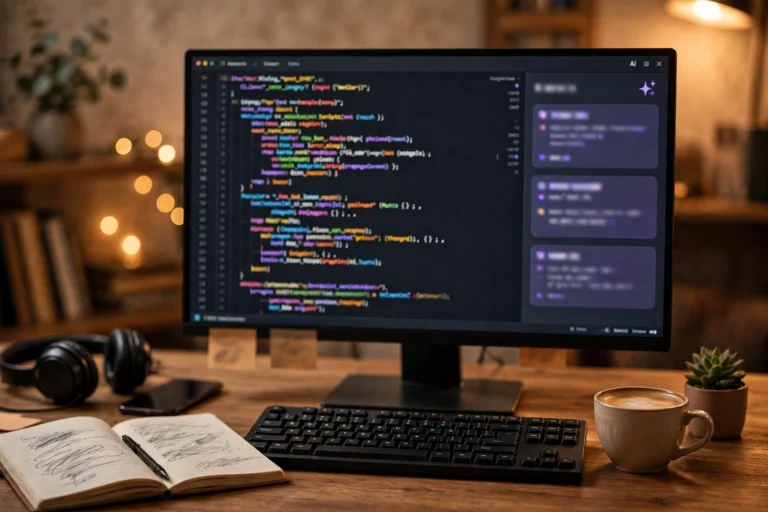
If you write code, GitHub Copilot has a free tier for VS Code users with a monthly allowance of completions and chat messages. It suggests code as you type and can explain what a piece of code does. It will not replace learning to program, but it saves a lot of time on repetitive work. We covered this topic in more depth in our guide to AI for coding.
How to pick the right free AI tool
Start from the job, not the tool. If you write a lot, start with a writing assistant. If you make social media content, start with Canva or CapCut. If you are learning to code, start with GitHub Copilot. Then check three things before you commit your time. First, does the free plan let you do the thing you need, or does it only let you look at it? Second, can you export or download your work without paying? Third, does it work in your browser, or does it need an install you do not want? One more honest tip: do not collect tools. Five half-learned AI apps are worth less than one you know well.
When to upgrade to a paid plan
Free plans are real, but they have limits, and there comes a point where paying makes sense. The signs are easy to spot. You hit the daily limit before lunch. You need higher-quality output than the free model gives you. You need commercial rights, team features, or faster processing for work. When that happens, upgrade one tool at a time, and only the one that is actually holding you back. Most people never need more than one or two paid AI subscriptions.
A simple starter setup
If you want a free AI setup that covers most everyday needs, here is a combination that works well together: ChatGPT or Gemini for writing and questions, Perplexity for research you need to verify, Canva for images and simple design, CapCut for video editing, and Grammarly for polishing anything you write. That is five free tools, no card required, covering writing, research, design, video, and editing. Add others only when you have a specific job they solve.
Final thoughts
The best free AI tools are the ones you actually use. Start with one that matches a task you already do every day, learn its limits, and let it earn its place before you try the next one. Free plans will keep shifting, so check the current limits before you rely on any single tool for important work. But right now, in 2026, you can write, design, edit video, and organise your work with genuinely free AI — no subscription required.