Cool Camera Drones for Beginners: 5 Fun Picks for 2026
Cool camera drones used to be expensive toys for professionals. Not anymore. Today you can buy a small drone that shoots proper 4K video, follows you automatically, and fits in a jacket pocket — for less than a mid-range smartphone. If you have ever watched a sweeping aerial shot in a travel video, the answer is usually a drone like the ones below.
What makes a camera drone beginner-friendly
A cool camera drone is not just about the camera. It is how easy it is to fly, how long it stays in the air, and how good the footage looks. For a first drone, four things matter. First, the camera should shoot at least 4K video, with a gimbal or good stabilisation so the footage is smooth rather than shaky. Second, it should be light — under 250 grams is ideal, because the rules are simpler for lighter drones in most countries. Third, it should have beginner-friendly modes like automatic takeoff and landing, and subject tracking that follows you. Fourth, the battery should last at least 15 to 20 minutes, because shorter flights get frustrating fast.
1. DJI Neo — the palm-sized selfie drone
The DJI Neo is the smallest and most affordable drone DJI makes, and the easiest one here to get started with. It weighs just 135 grams — lighter than most smartphones — and it can take off from the palm of your hand with the press of a button. You do not even need a controller: press a button and it flies out, films you, and comes back. It shoots 4K video at 30 frames per second and 12-megapixel photos, with electronic stabilisation. The rated flight time is up to 18 minutes per battery, and it has 22GB of built-in storage, so you can fly without buying a memory card first. It launched at around $199, often on sale for less. The Neo is at its best for selfies, vlogging, and short social media clips — not serious landscape photography, and it has no obstacle avoidance. But as a first drone, or a fun second drone you can throw in a bag, it is hard to beat.
2. DJI Mini 4K — the best value beginner drone
If you want one drone that does everything well without costing a fortune, the DJI Mini 4K is the pick most beginners end up with. It weighs under 249 grams, shoots true 4K video, and has a three-axis mechanical gimbal for smooth footage. Flight time is up to 31 minutes per battery. It lists at around $299, often on sale for less. The one thing it does not have is obstacle avoidance — it only has downward sensors to help it hold a steady hover. That means you need to be careful around trees and buildings. For most first-time buyers in 2026, this is the smartest place to start.
3. DJI Mini 3 — the step up for better photos
The DJI Mini 3 costs more than the Mini 4K — around $469 — but it earns the extra money. Its larger 48-megapixel sensor shoots 4K video at up to 60 frames per second, and it takes vertical photos and video — perfect for social media. Flight time stretches to up to 38 minutes, the longest here, and it has the same sub-250-gram weight. Choose the Mini 3 if you care about photography as much as video, or want a drone you will not outgrow in six months.
4. Potensic Atom SE — the budget alternative
Not everyone wants a DJI, and the Potensic Atom SE is the best-known alternative at the budget end. It costs around $229, weighs under 250 grams, and shoots 4K video with a three-axis gimbal. Flight time is up to 31 minutes, matching the DJI Mini 4K. The app and controls are not quite as polished as DJI’s, and the camera is a step behind in tricky light — but for the price, it is a genuinely capable drone for learning the basics.
5. DJI Mini 4 Pro — the stretch pick
The DJI Mini 4 Pro is the most expensive drone on this list at around $759, but it shows what the extra money buys. It has omnidirectional obstacle avoidance, so it can sense objects in every direction and stop before it hits them. It shoots 4K/60 HDR video with a larger 1/1.3-inch sensor, and tracks moving subjects automatically while avoiding obstacles. It still weighs under 249 grams with the standard battery. You do not need this drone as a beginner. But if you fly a lot, film in busy places, or use footage for work, the safety features are worth it.
The 250-gram rule, explained simply
You will see “under 250 grams” mentioned for almost every drone here, and there is a good reason. In the United States, recreational drones under 250 grams do not need to be registered with the FAA. In the UK, drones under 250 grams have lighter rules, though you still need an Operator ID if the drone has a camera, and you must follow the basic drone code. Many other countries have similar cut-offs, so a lighter drone means less paperwork. That does not mean no rules: keep the drone in sight, stay away from airports and crowds, and respect privacy. Check your own country’s rules before your first flight, because they do change.
What to check before you buy
Before you order any drone, run through this short checklist. Flight time. Real flight time is always shorter than the number on the box — wind and cold eat into the battery. Budget for about 70 percent of the advertised figure. Spare batteries. One battery is never enough. A Fly More combo, or one spare battery, roughly triples your flying time and is the best money you can spend after the drone itself. Memory and storage. Check whether the drone has internal storage or needs a microSD card, and buy a fast card if it does. Slow cards cause dropped frames and corrupted clips.
First-flight tips for beginners
Your first flight should be boring, and that is a good thing. Pick a wide open space — a park or an empty field — on a calm day. Keep the drone low and close, and practise takeoff, hover, turns, and landing. Do not try to film anything impressive yet. Read your drone’s manual before you fly, not after your first crash. Always check the battery level and the return-to-home setting before takeoff. Most beginner crashes happen because someone flew too far, too fast, on a low battery. Never fly backwards: you cannot see what is behind the camera, and trees hide well.
Turning drone clips into something worth sharing
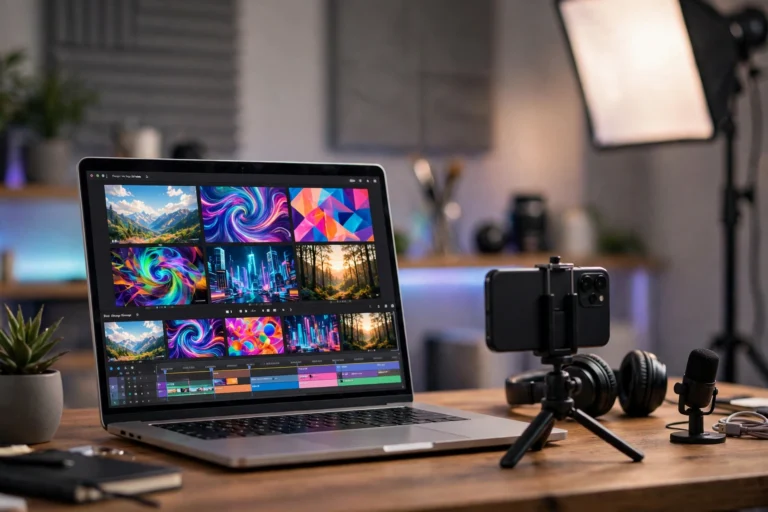
Raw drone footage is only half the job. A quick edit — trimming the wobbly first seconds, adding music, cutting between angles — makes it far better. A free editor like CapCut handles the basics well, and if you want to experiment with AI-assisted editing, our guide to the best AI video generator covers the stronger tools. You can even turn your best drone stills into short clips with AI — our guide to free AI image to video generators shows how.
Final thoughts
Cool camera drones are no longer a luxury. For a few hundred dollars you can own a flying camera that shoots smooth 4K video and fits in a pocket. Start with the DJI Mini 4K for the best all-rounder, the DJI Neo for something tiny and fun, or the Potensic Atom SE on a tight budget. Whichever you choose, learn the rules, fly in open spaces first, and buy a spare battery. The best drone is the one you actually fly — and that comes home in one piece.